
ElaraBet Login, Password Reset and Account Security
Sign in to ElaraBet with your email and password, turn on two-factor authentication and reach 24/7 live chat if access stalls. Read the login steps.

Signing in to ElaraBet needs just your email address plus password, whether you're on a desktop, a tablet or the mobile web app. Below you'll find the access steps, password recovery, two-factor protection plus quick fixes for the most common login snags.
No account yet? The registration page walks through sign-up, and you can log in as soon as your email link is confirmed.
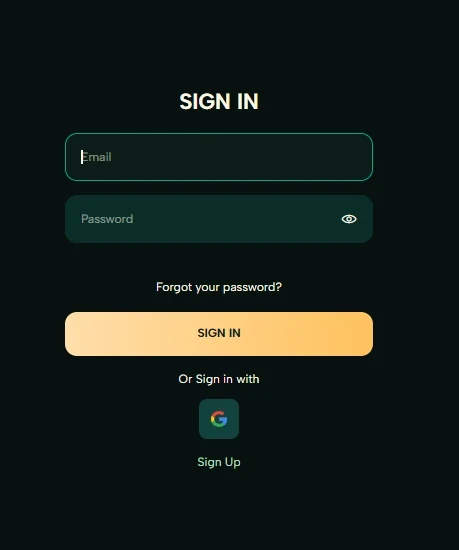
How to Log In on Desktop
Signing in from a computer needs nothing more than an up-to-date browser. The process is the same on every page of the site.
- Open ElaraBet in your browser.
- Click the login button.
- Enter the email address registered to your account.
- Type your password, keeping an eye on capitals.
- If two-factor authentication is switched on, complete the second verification step.
- Confirm, at which point the lobby opens with your balance showing.
Logging In on Mobile
The mobile site keeps every desktop feature, so signing in works in exactly the same way in any mobile browser. If you've installed the Progressive Web App, its icon opens the casino in its own window, ready for your details.
- Tap the ElaraBet icon on your device, or load the site in your browser.
- Open the login form.
- Enter your email plus password.
- Pass the two-factor step if you use it.
- Start playing from the full lobby, cashier or promotions.
Credentials and Password Rules
Your login is tied to one email address, with a password chosen at sign-up. A few rules apply to every account:
- Passwords need at least eight characters
- Each password must mix letters with numbers
- One registered account is allowed per person
- Login details must not be shared with anyone else
- Minors or other third parties may never use your account
Two-Factor Authentication
Two-factor authentication (2FA) adds a second layer to your account on top of the password. Once switched on in your settings, every sign-in asks for an extra confirmation, so a stolen password alone isn't enough to get into your balance. It's optional, but well worth turning on if you hold funds or crypto in your account.
Password Recovery
Forgotten your password? The reset route runs through the email address on your account.
- Open the login form, choosing the password reset option.
- Enter the email address you registered with.
- Check your inbox for the reset message.
- Follow the link inside it.
- Set a new password of eight or more characters mixing letters with numbers.
- Sign in with your new details.
Login Errors and Fixes
Most access problems come down to a handful of causes, each with a straightforward fix.
| Issue | Likely cause | What to do |
|---|---|---|
| Can't sign in after registering | Email link not yet clicked | Open the verification email, clicking the link inside |
| Password rejected | Typo or forgotten password | Check caps lock, then use password reset |
| Account inactive | No activity for 90 days, so it's classed as dormant | Ask support to reactivate it |
| Game stuck after logging back in | Unfinished round from a previous session | Cancel it in the Unfinished Games area of your profile |
| Game froze mid-session | Interrupted connection | Reload; the round is settled on the server side |
| Second account blocked | One account per person rule | Use your original account |
Keeping Your Session Secure
Data between your device and the casino travels under 128-bit SSL encryption, with PGP protection on transactions. A few habits keep your side just as tight:
- Switch on two-factor authentication
- Use a password you don't reuse anywhere else
- Never hand your login to friends or family
- Log out after playing on a shared computer
- Contact live chat straight away if you spot activity you don't recognise
Getting Help With Access
Live chat is the fastest route when you're locked out, staffed by real agents 24 hours a day, seven days a week. For anything that needs a paper trail, email support@elarabet.com. Replies come in English.
Login FAQ
Quick answers on getting into your account.
What do I need to sign in?
Just the email address you registered with plus your password, along with the second step if 2FA is on.
Is two-factor authentication compulsory?
No. It's an optional extra layer you can switch on from your account.
Can I log in through the mobile web app?
Yes. The web app on Android or iOS uses the same login as desktop, with full access to your account.
What happens if I haven't logged in for a while?
Accounts inactive for 90 days are classed as dormant. Support can reactivate yours on request.
Can I switch currency after logging in?
Yes. The Add Currency option in your profile lets you open another balance, then switch between them.